BeamNG Mod Manager 🧡 0.8.22-0.8.24: Always On Loadouts, and more fixes.
Released August 2-4, 2026
Here's the next three releases in three days. I wanted the "Always On" Loadouts to be completely persistent and that turned out to need more than one pass to get right - the feature itself in 0.8.22, then two rounds of hardening and clarity once real use turned up the edge cases.
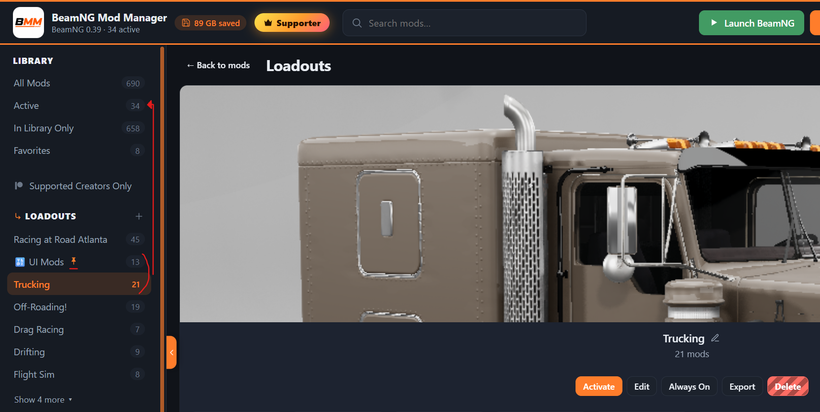
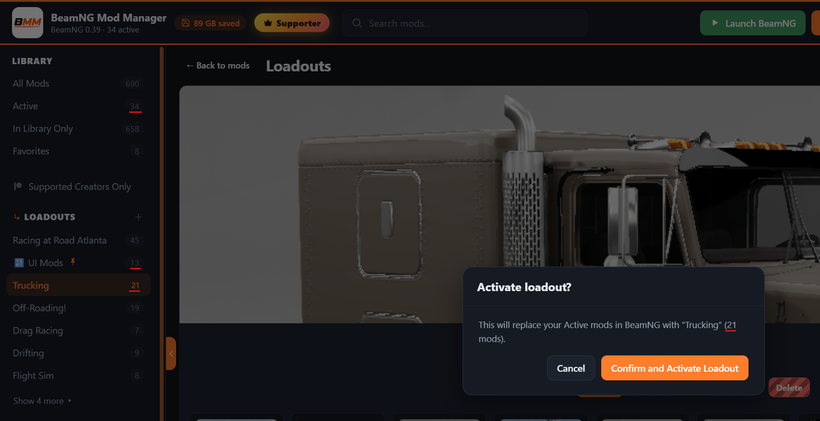
What Always On does - mark any load-out "Always On" from the Loadouts page (Player tier and up) and BMM keeps its mods active no matter what else happens: switching to a different load-out, closing BeamNG or BeamMP, relaunching BMM entirely — an Always On Loadout's mods stay right where they are. Turning one of those mods off by hand is only temporary; it switches back on the next time BMM rescans your library, imports mods, applies a load-out, or launches, so an Always On load-out can't quietly end up missing pieces.
It got sturdier fast (it was hittin' the gritty 🤣)
Always On now holds even if you've turned off "import mods when the game closes," since the two settings used to be quietly tied together (switching off the import setting was silently switching off the close-time part of Always On too). The marker itself only shows up where it's actually being applied now — a locked Loadout, or one on a plan without Always On, no longer shows the marker or a lit-up button as though its mods were being kept active when they weren't. And while BMM is switching a set of mods on, it now re-checks whether the game has started back up mid-switch and stops if it has, instead of writing into a game that's already running; this matters most right after you quit and immediately relaunch.
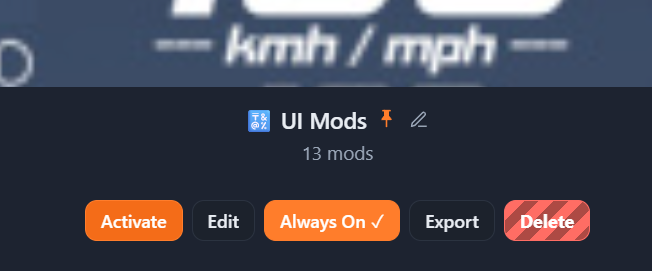
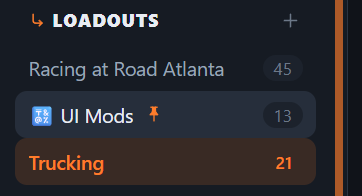
And it got clearer - Always On now shows as a pin next to your load-out instead of an "On" label, so it's easy to tell apart from the green dot that marks whatever load-out is active right now. If Always On is saved but not actually running — because the Loadout is locked, or your plan changed — the Load-outs page now labels it "paused" instead of quietly doing nothing, and hovering the pin anywhere explains why. Your setting is kept either way; nothing gets switched off behind your back. Switching Always On off now asks you to confirm first too, so a setting that quietly stays on until you change it doesn't turn off in silence either.
A few other things that landed alongside all this: a maximized BMM window could get stuck small after a display or resolution change — unplugging a monitor or switching between 4K and 1080p, for example — instead of filling the new screen size, which is now fixed; opening a mod on the Conflicts page shows its conflicts right at the top of the details panel instead of making you scroll for them; "Check for updates" is now unavailable while BeamNG is open, after a report that using it could crash the game; and if BMM ever has to rebuild your library after its catalog file gets damaged, it now leaves your load-outs' version pins alone for that session rather than guessing and moving members onto whatever build is newest. One more, quieter change: sign-in hardening already went live on the licensing server with no update needed on your end — the Patreon connect flow can no longer be kicked off from a link on another website, and a connect link now expires after ten minutes instead of staying valid indefinitely.
Updating: on 0.8.8 or newer, just hit Settings → Check for updates (or the update pill in the top bar). Or:
Download it here: BeamModManager.xyz.
(Portable version also available there)
Cheers!
NickTheGrizzly 🧡
Save time and space so you can play more BeamNG.