BeamNG Mod Manager 🧡 v0.6.6: Reliable Imports, No More “Duplicate” Clutter & App close bug fixed
BMM v0.6.6
Released July 3, 2026
This is a big quality-of-life release, and it fixes one of the most annoying things people have run into. 🧹 If you’ve ever ended up with a pile of “- Dup” copies after a reinstall, this one’s for you.
🎯 The big fix: no more phantom duplicates
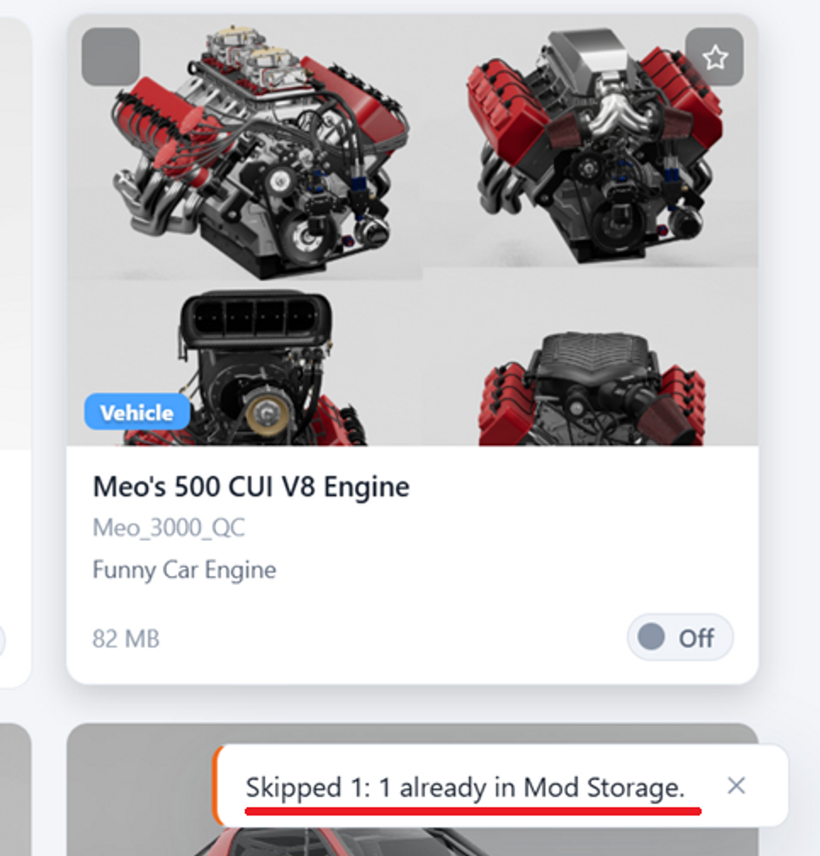
Bringing in mods you already had no longer creates confusing “ - Dup” copies. When BMM finds mods already sitting in your Mod Storage folder — after a reinstall, a reset, or when you point BMM at an existing library — it now recognizes them and reconnects your active set instead of making duplicates. Importing from your game folder simply says “Reconnected N mods,” and nothing gets moved or copied. Clean and instant.
🤝 Honest imports you’re in control of
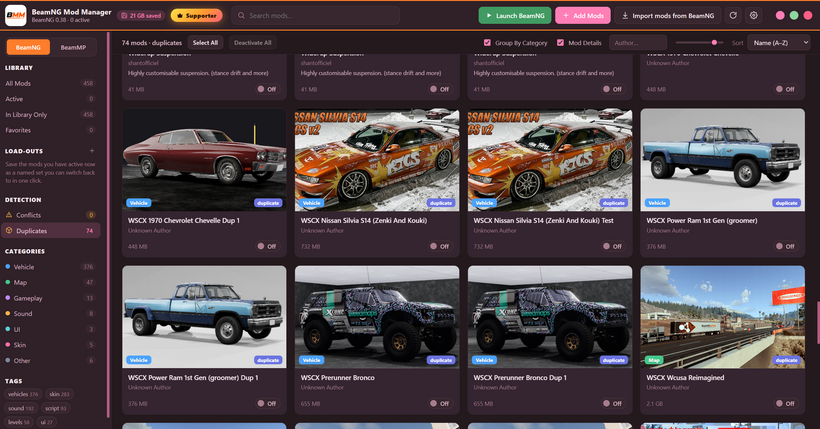
Everything comes in, clearly labelled — drag-and-drop and “Add Mods” bring everything into your library — and if something really is a duplicate of a mod you already have, it’s imported too and flagged for you to review in the Duplicates tool.
BMM never deletes your files on its own — you stay in the driver’s seat; the import summary tells you exactly what happened instead of a misleading “unreadable.”
Even more honest Space Saved — deleting a duplicate that was only a hard link (sharing its data with another copy) no longer counts as reclaimed disk — because nothing was actually freed.
🚪 A clean exit
We squashed a sneaky bug where the app could keep running invisibly in the background (holding onto your data folder) and opening it again would silently start a second hidden copy. BMM is now single-instance again. lol
Launch it again and it brings your existing window to the front
A window that fails to appear now shows itself within a few seconds
A shutdown safety net guarantees the process actually exits when you close it
There’s also a tiny local troubleshooting log that records each launch and exit, just in case anything ever recurs — it stays on your machine and is never sent anywhere.
💡 Clearer onboarding
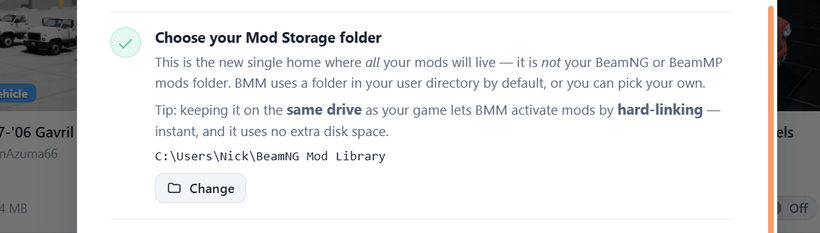
Onboarding now explains up front that a mod showing in both your game folder and Mod Storage is the same single file in two places (a hard link) — not a wasteful second copy. Felt like one of those things that’s obvious once someone tells you, so I wanted the app to tell you. lol. 😅
DOWNLOAD HERE:
https://www.patreon.com/BeamNGModManager/posts/download-beamng-162936910
Cheers!
NickTheGrizzly 🧡
Save time and space so you can play more BeamNG.