BeamNG Mod Manager 🧡 0.7.8: More Accurate Update Detection, Full-Page Loadouts, and more fixes/changes!
Released July 12, 2026
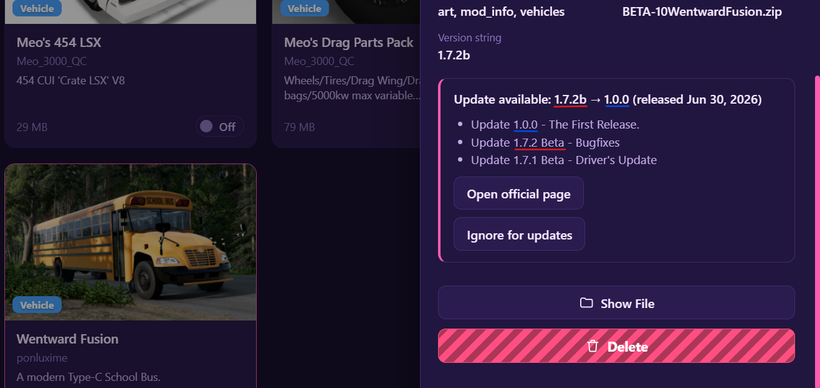
🎯 Update detection just got a lot more accurate. In some cases, the new Updates list was flagging nearly every mod as needing an update, that's fixed:
BMM's update checker now matches your installed file against the repository's exact file version instead of leaning on page timestamps — it no longer mistakes recent reviews on a mod's page for a new release. Mods that didn't actually have an update will simply disappear from the Updates page after the update.
The suggested update now shows its release date too, so a renumbered release (say, a full "1.0.0" landing after a "1.7.2b" beta) reads correctly as the newest version instead of looking like a downgrade.
New "Ignore for updates": This is for when you have a mod that ships bad version info and you want to ignore it. Hide it from the Updates page right from the selection bar or its Mod Details — one click (Re-include) brings it back whenever you want.
One-time tip: run a Rescan after this update so your existing library switches over to exact file matching. The Updates page will remind you until you do. Hoping to be able to automate the "rescans" after installing new BMM versions so that it's seamless and you don't have to rescan manually.
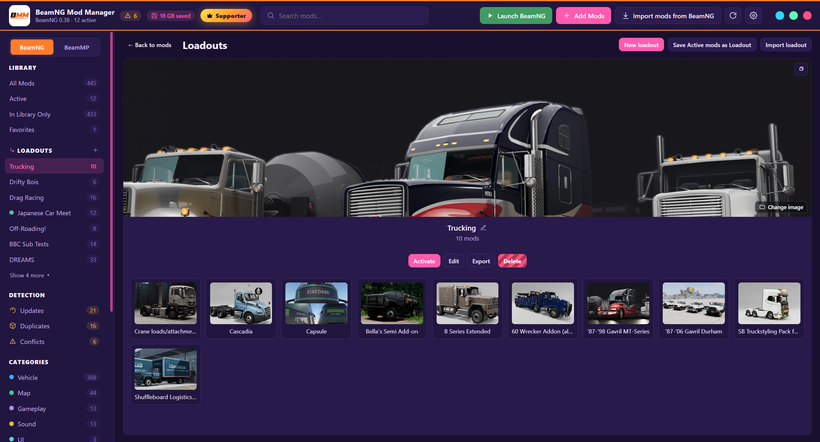
📂 Loadouts are now truly full-page:
Expanding a loadout now takes over the whole page at any window size, opening front-and-center the moment you click it in the sidebar — the compact details list gives way to the full mod grid, with member cards styled in your theme's colors and centered names.
Activating a loadout now asks you to confirm first, so replacing your active mod set is never an accident.
A tidier selection bar: "Remove from Loadout" lives right there now, and the redundant "Select all" button is gone (Select All still lives up top).
And here is how the page looks if you have a monitor setup vertically in Portrait mode. 🖼️
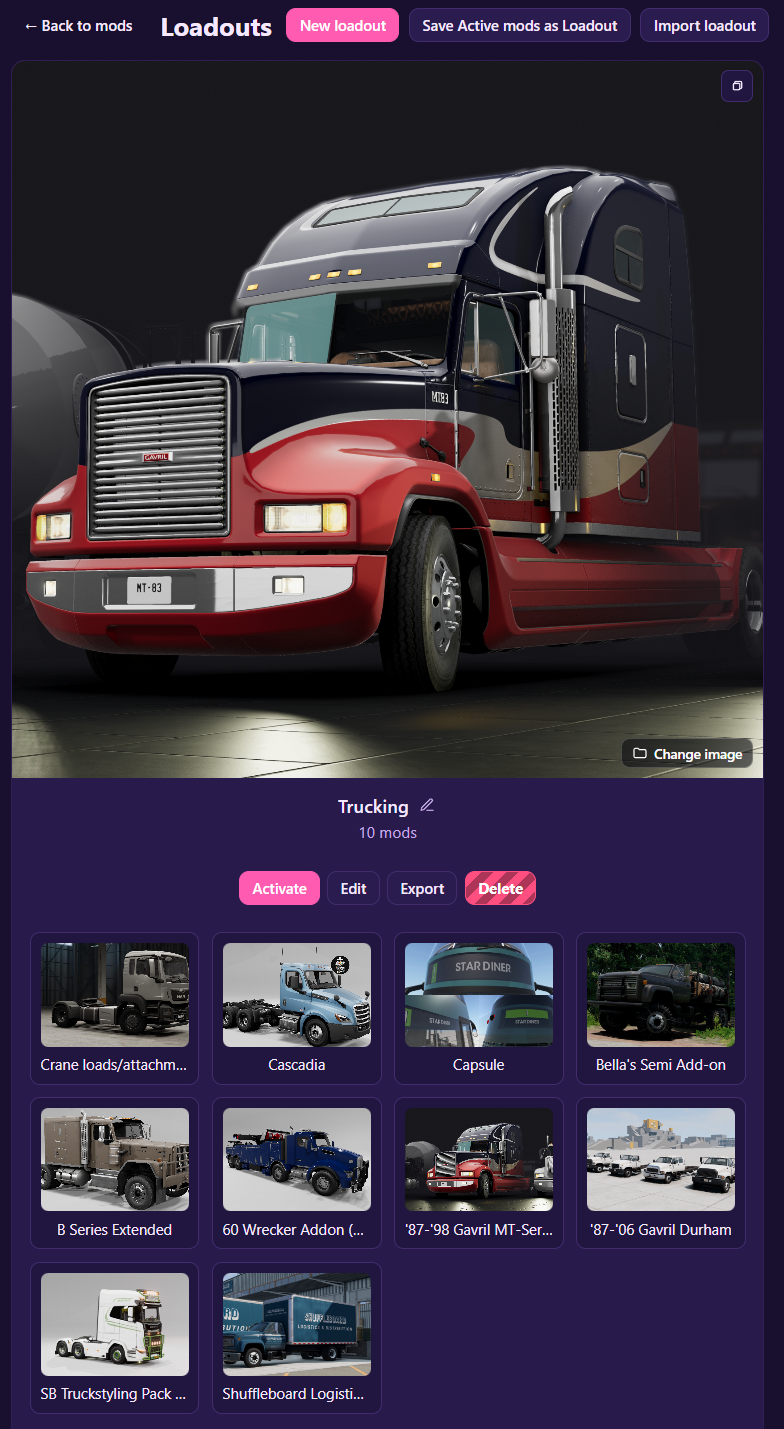
More updates coming to how BMM looks and works when using it in Portrait. That's going to take a redesign of how the Top bar and tool bars work but it's definitely something I will figure out and ship asap.
I know many of you love using an upright monitor and BMM is perfect for your extra screens, so I'll make it fit perfect too! Stay tuned for that. ✔️
Thank you as always! I appreciate all of you. 🤝
DOWNLOAD HERE: https://www.patreon.com/BeamNGModManager/posts/download-beamng-162936910
Cheers!
NickTheGrizzly 🧡
Save time and space so you can play more BeamNG.