BeamNG Mod Manager 🧡 0.8.16: A much smaller image cache, Steadier version controls, and more fixes.
Released July 29, 2026
v0.8.15 went up a few hours ago, and here's 0.8.16 already — but this one isn't audit cleanup. 😄 I realized after loading up a BMM library with a lot of mods that the images that are used for the mod cards was filling up the cache and the file sizes were just too big, this fixes that!
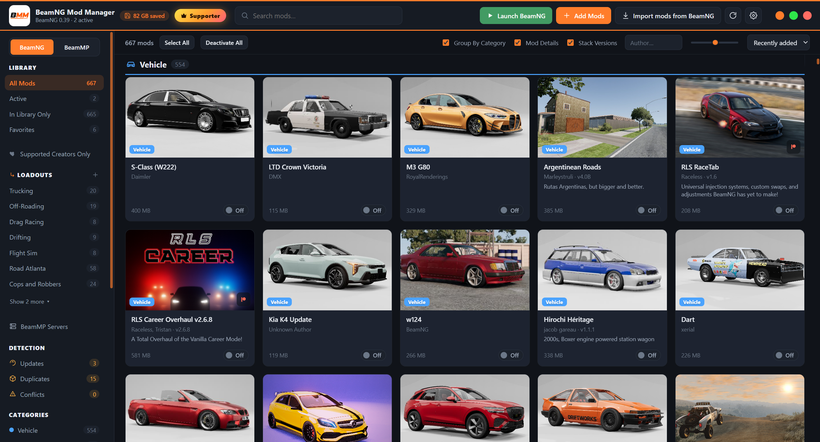
Mod covers now take a fraction of the disk space - BMM keeps one preview image per mod in a cache of its own, separate from your actual mod files. It was storing that image exactly as it came out of the zip — and plenty of mod authors ship a full-resolution screenshot as their preview. Oversized covers are now saved as a compact copy instead: usually a few hundred kilobytes rather than several megabytes, and only when the compact version genuinely comes out smaller. At the size BMM shows the mod cards, they look the same at the new quality. You can see above the images are still beautiful. :)
I saved about 90% of the space (6GB) after updating to v0.8.16!
Your existing covers convert themselves - It happens during the next library re-scan, with nothing for you to click. Although, that first scan after updating goes through every mod you have, so give it a minute (or hit Rescan yourself if you've switched the launch scan off). One thing it deliberately won't do: if you picked a cover by hand, BMM leaves it alone — same file, same size. You chose it, so it doesn't get overwritten. Pick a new image for that mod and the new one gets the compact treatment automatically.
Leftover covers get tidied up - Images that no longer belong to any mod in your library — strays left behind by rebuilds and re-imports — used to sit in that cache forever. They're cleared out during a re-scan now. Covers belonging to versions still inside the clean-up log's undo window are deliberately kept, so undoing a clean-up brings the mod back with its picture. This only ever touches BMM's own image cache, never a mod zip.
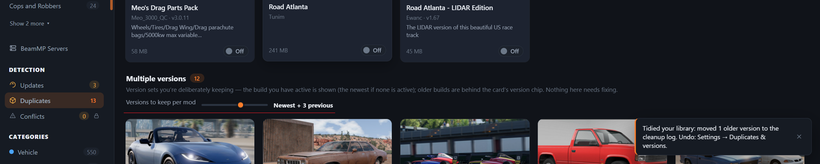
The "versions to keep" slider now waits until you let go. It used to save on every notch it passed, and lowering it still moves older versions to the clean-up log right away — so dragging down past your target and correcting back up could sweep builds you never meant to drop. They'd have been sitting in the log, recoverable for a week, but only if you noticed. Now the value applies once, when you release the slider.
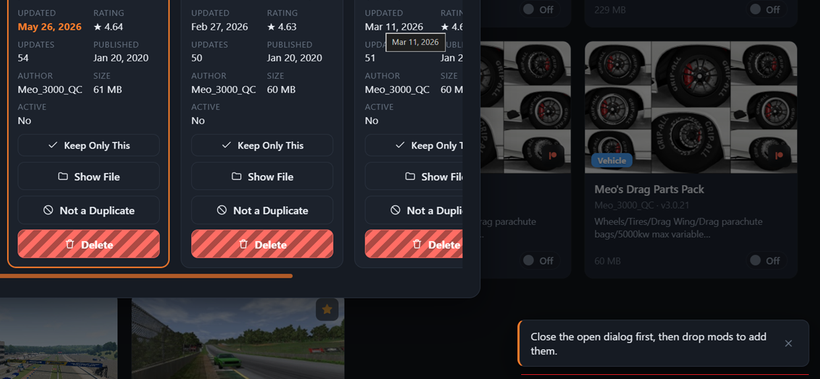
Dropping mods waits its turn - Zips dropped on the window while a dialog was open would import anyway, changing your library behind the dialog you were working in. Now BMM asks you to finish up first, and the same goes while a library scan is running.
Under the hood: my release checks now run the licensing server's 161 tests alongside the app's own — so the part that handles your Patreon connection, the supporter wall, and mod update checks sits behind the same gate as everything else.
Updating: on 0.8.8 or newer, just hit Settings → Check for updates (or the update pill in the top bar). Otherwise grab it from beammodmanager.xyz.
The line at the bottom of every one of these posts says, "save time and space." Usually that means your mods. This time BMM cleaned up after itself.
Let's continue to share BMM around everywhere so more people can enjoy their mods like this! Let your friends know! 🤝
Cheers!
NickTheGrizzly 🧡
Save time and space so you can play more BeamNG.