BeamNG Mod Manager 🧡 0.8.28: Protecting Your Library From Some Rare But Serious Failures.
Released August 7, 2026
This one's not flashy, and that's kind of the point — five fixes for edge cases that were rare enough to go unnoticed, but serious enough that I wanted them out on their own rather than buried in a bigger post.
BMM will never delete a file from your Mod Storage folder while removing a mod from the game - if you'd ever pointed BMM's BeamMP folder at your Mod Storage folder, or at another name for it, like a mapped drive, deactivating a mod could delete the library copy outright, with nothing going to the Recycle Bin. BMM now recognizes the original file no matter how its path is spelled and refuses to touch it, and it'll warn you if you pick a BeamMP folder that overlaps your library.
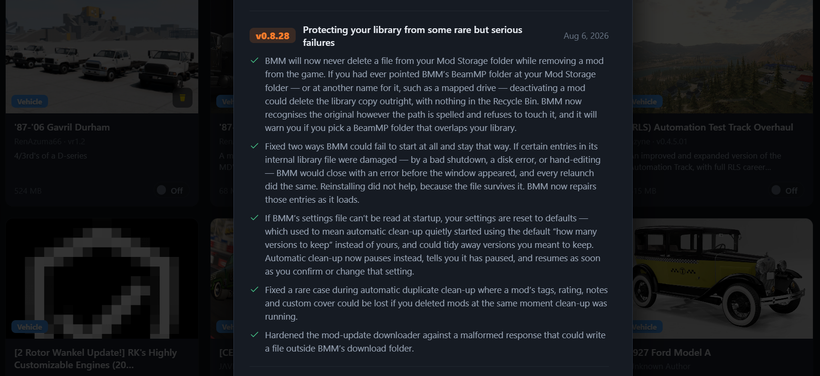
Two ways BMM could fail to start, and stay that way, are fixed - if certain entries in its internal library file were damaged (a bad shutdown, a disk error, hand-editing), BMM would close with an error before the window even appeared, and every relaunch would do the same. Reinstalling didn't help, because the file survives that. BMM now repairs those entries as it loads instead.
Automatic clean-up pauses instead of guessing - if BMM's settings file couldn't be read at startup, your settings used to just reset to defaults, which meant automatic clean-up would quietly start using the default "versions to keep" number instead of yours, and could tidy away versions you actually meant to hold onto. Clean-up now pauses instead, tells you it's paused, and picks back up as soon as you confirm or change that setting.
Two smaller ones rounding it out: a rare case during automatic duplicate clean-up where a mod's tags, rating, notes and custom cover could be lost — if you deleted mods at the exact moment clean-up happened to be running — is fixed. And the mod-update downloader is hardened against a malformed response that could write a file outside BMM's download folder.
These are rare edge cases, but the failure mode on each one was bad enough — lost files, a library that won't open, lost mod data — that I wanted them called out clearly instead of buried in a bigger patch-notes post.
Updating: on 0.8.8 or newer, just hit Settings → Check for Updates (or the update pill in the top bar). Or:
Download here: BeamModManager.xyz
(Portable version is on there)
Cheers!
NickTheGrizzly 🧡
Save time and space so you can play more BeamNG.